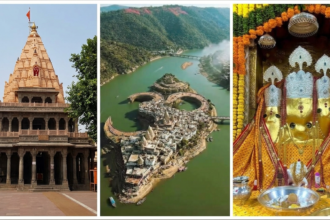
Attending the iconic Bhasma Aarti at the Shri Mahakaleshwar Temple in Ujjain is a once-in-a-lifetime spiritual experience. Held every day before dawn between 04:00 AM and 06:00 AM, this sacred ritual involves sanctifying the Lord with holy ash. Because seats inside the Nandi Hall and Ganesh Mandap are limited, securing an online booking in advance is essential to guarantee your entry.
Official Bhasma Aarti Booking Rules & Schedule
Online Bhasma Aarti booking is exclusively available on the official website starting daily at 8:00 AM under two official quotas:
1. Regular Online Booking Schedule:
Opens on the 1st of the previous month at 8:00 AM.
(Example: Bookings for June open on 1 May at 8:00 AM; bookings for July open on 1 June at 8:00 AM)
2. Tatkal Booking Schedule:
Opens 1 day before the selected date at 8:00 AM.
(Example: For 10 April, Tatkal booking opens on 9 April at 8:00 AM)
- Documents Required: Original ID proof (Aadhaar Card, Passport, Voter ID, or Driving License) for all devotees.
- Image Requirements: Recent passport-size photograph of all applicants (JPEG format, max 200 KB).
- Dress Code Mandatory: Traditional attire is compulsory (Men: Dhoti-Sola without shirt/vest; Women: Saree or Salwar Suit).
Step-by-Step Online Booking Process
Step 1: Visit the Official Portal
Open your web browser and navigate directly to the official website of Shri Mahakaleshwar Temple Management Committee: shrimahakaleshwar.com.
Step 2: Navigate to “Online Services” & Click “Bhasma Aarti Booking”
On the homepage navigation bar, click on Online Services and select Bhasma Aarti Booking from the drop-down menu.
Step 3: Select Date & Booking Type (Regular or Tatkal)
Choose between Regular Booking (opened on the 1st of the previous month at 8:00 AM) or Tatkal Booking (opens at 8:00 AM exactly 1 day prior to your visit date). Check the calendar for open green slots.
Step 4: Fill Devotee Information
Provide accurate personal information for all devotees attending:
- Full Name (must exactly match government photo ID)
- Age, Gender, Mobile Number, and Email Address
- ID Type (Aadhaar, Passport, Voter ID, etc.) and ID Number
- Upload passport photo and scanned ID proof image.
Step 5: Verify Mobile OTP & Confirm
Enter the One-Time Password (OTP) received on your registered mobile number to verify your booking request.
Step 6: Pay Processing Fee & Download Permission Pass
Pay the nominal online processing fee using UPI, Net Banking, or Credit/Debit card. Download and print the generated Bhasma Aarti Permission Pass for entry verification.
Important Tip for Early Morning Reporting
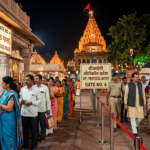
Reporting for Bhasma Aarti starts between 01:00 AM and 02:30 AM at Gate No. 4. To avoid late-night travel hassles, reserve a stay close to the temple complex like Disawal Samaj Dharmshala on TirthTrails or Hotel Shree Krishna Palace on TirthTrails.
Frequently Asked Questions (FAQs)
Q1. When does regular Bhasma Aarti online booking open?
Regular online booking opens on the 1st day of the previous month at 8:00 AM on the official website (e.g., June slot bookings open on 1 May at 8:00 AM).
Q2. How does Tatkal Bhasma Aarti booking work?
Tatkal booking opens online exactly 1 day prior to the selected date at 8:00 AM (e.g., Tatkal for 10 April opens on 9 April at 8:00 AM).
Q3. What documents must I present at the temple gate?
You must carry a printed copy of your official Bhasma Aarti pass and the original photo ID proof uploaded during online registration.